 GauID
Start identification
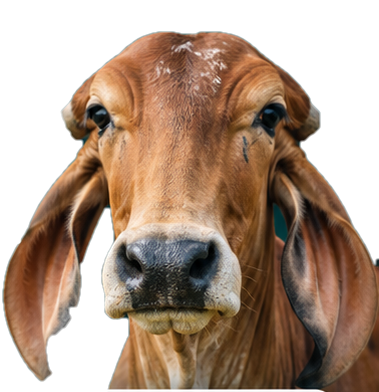
Choose how to add your cow photo.
Photo or video
No photo selected
Add a photo to enable identification.
Identifying cow
Finding the cow and comparing it with your animals…
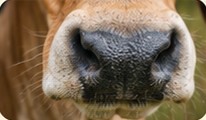 Better photos, better matchesA clear, well-lit muzzle photo works best.View capture tips
Your animals
View allRegistry
The animals you have registered.
Help
Take photos that get recognised.
How to take a good photo
- Get the cow in viewIts face and body, from a few metres away, is fine. Fill more of the box if you can.
- Same view each timeFront-on or side-on, whichever you use, keep it similar so the same cow is recognised.
- A close-up of the nose is bestWhen the nose is readable the match is much more certain. It is optional.
- Clean noseWipe off mud, dirt, feed and wet drips first. The nose pattern must be visible for the same cow to be recognised every time.
- Good light, hold stillDaylight or shade, no flash. Tap the screen to focus and keep the phone steady.
If the app says…
"No cow or buffalo found"
Point the camera at a cow or buffalo's face, with the nose in view.
"The cow looks too small"
Step a little closer, or pinch to zoom, so the cow fills more of the box.
"The picture is blurry"
Hold the phone with both hands and tap the cow on the screen to focus before you take the photo.
"It's too dark" or "too much glare"
Move to daylight or shade. Avoid shooting into the sun and don't use flash.
"New cow" for a cow I already registered
The app did not recognise it this time. Take another clear photo, closer if possible, and use Add another photo on the result so it is recognised next time.
Good to know
- Identify & register saves the cow if it is new. Look up only never saves anything.
- Matching by the nose pattern is more certain than matching by the cow's overall look. The result tells you which was used.
- Photos that cannot be used are never saved.
Register an animal properly
- 3 photosThe front of the face, then the left and right sides of the head and body.
- 1 clear nose close-upFace straight on, close enough that the nose fills about a third of the picture, in good light. Wipe the nose clean first. Without a readable nose pattern the cow is not registered.
- Follow the promptAfter a new cow is registered the app shows what is still missing. Use Add a photo now until it says "Registration complete".
How your data is used
- The service keeps a numeric fingerprint of each animal (nose pattern and overall look) and the animal's ID. Photos of people are not needed; please do not include people in the picture.
- Whether the photo itself is kept depends on how your organisation set up the service. Photos that cannot be used are deleted straight away.
- The service logs each request (time, which access key, result) to measure accuracy and speed. Old log entries are deleted after the retention period set by your administrator.
- Only use the app for animals you are authorised to register. Ask your administrator to correct or delete an animal's record.